LinkedIn Sales Navigator: Testing In-App Expansion for a New Revenue Stream

Product Designer (UX/UI, experiment flows)•LinkedIn•B2B Web
Project Mockup
Project summary

An experiment replacing an 8-step maze with a direct in-app upgrade

The problem

50% of sellers prospected on LinkedIn for free, prompting our growth team to target existing Core subscribers for upgrades. But upgrading was an 8-step detour through admin settings, so confusing that users relied on video tutorials just to buy.

The outcome

I designed a direct in-app upgrade flow featuring a plan comparison table, an async request form, and an exit survey. Reusing design system components let us launch in three weeks, validating upgrade demand and capturing drop-off insights without costly billing infrastructure.

Context

Looking beyond new user acquisition to test team expansion

The starting point

The growth team originally focused on acquiring new users through LinkedIn’s main platform, but half of active sellers simply prospected for free. To open a new revenue stream, we pivoted to an expansion strategy: nudging existing Core subscribers to upgrade to team-based Advanced plans. However, there was no in-app upgrade path. Sellers wanting to upgrade were forced out of their workflow into an 8-step Admin Center detour.

The strategic bet

We hypothesized that discounts and live support would remove friction and unlock revenue faster than acquiring new accounts.

The catch

Core sellers lacked purchasing authority without manager approval, and custom billing took months. I had three weeks to deliver with zero backend changes.
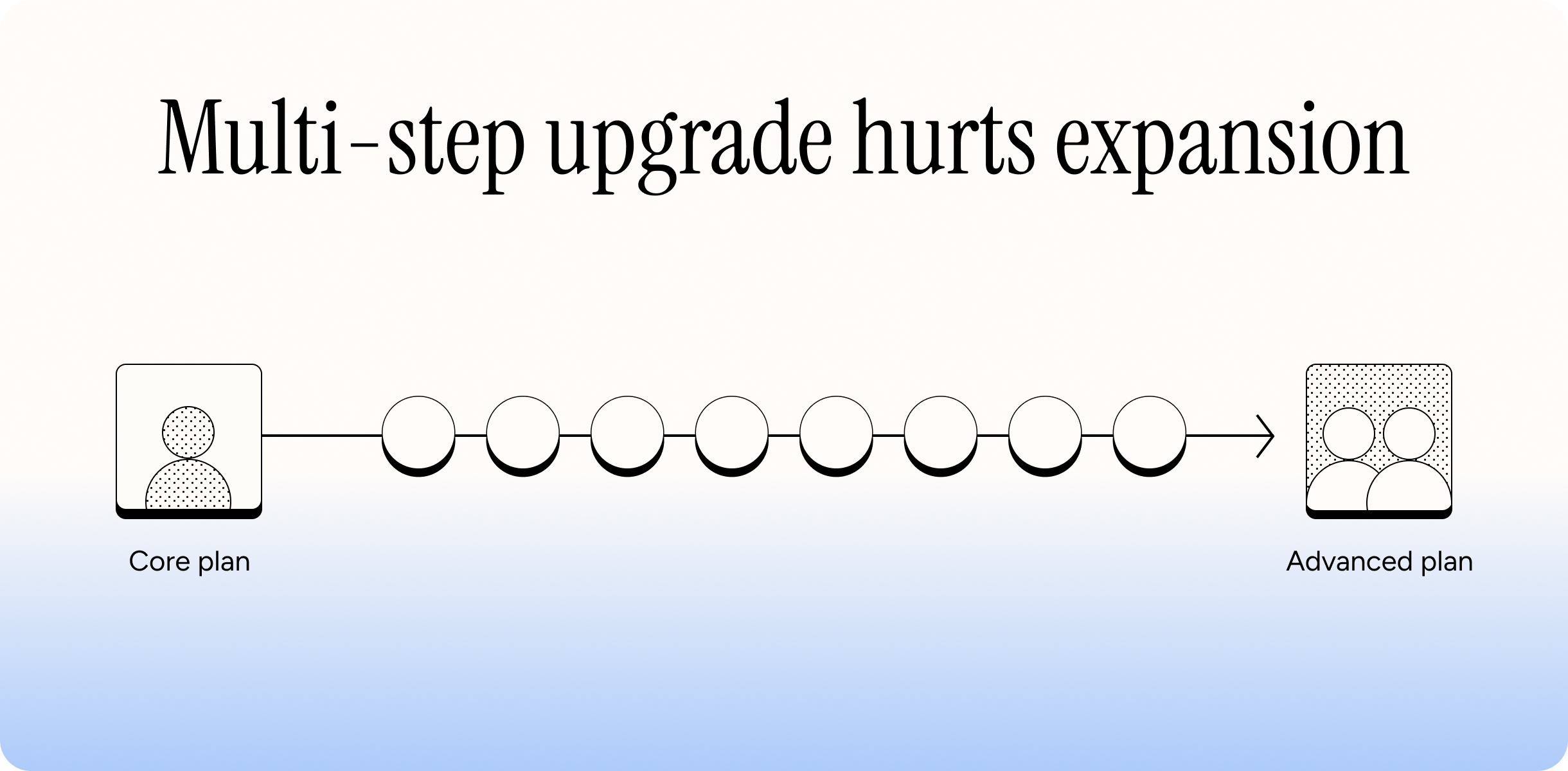
Context: The 8-step detour required to upgrade from Sales Navigator Core to Advanced
Experiment strategy

Scoping to existing users to test discounts and entry points

Core hypotheses

To test if sellers were blocked by high price, we tested two discounts (25% and 50% off). To remove friction, we partnered with support so sellers could upgrade immediately without configuring anything in the UI.

Audience scoping

Scoped to existing Core users (3+ months) on desktop in the U.S. Hardcoding prices bypassed currency logic, saving three weeks of engineering.

Entry-point evaluation

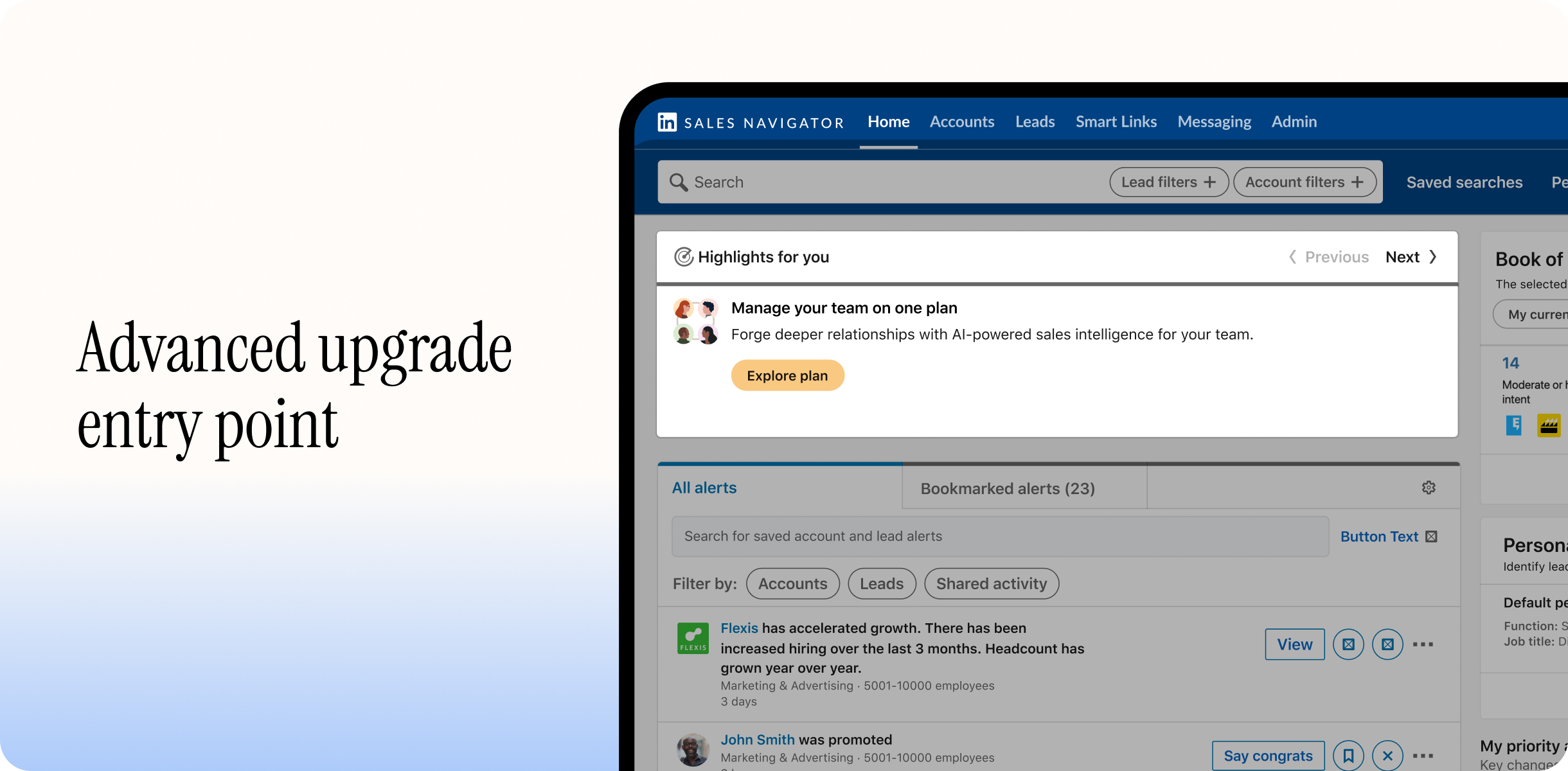
We evaluated a navbar link versus a homepage card. I chose the card with a cool-down rule: once dismissed, sellers never saw it again.

Scoping & variants: Evaluating discount tiers and entry-point placement
The solution

Replacing an 8-step detour with a lightweight in-app flow

Designing the end-to-end flow

I mapped and designed a streamlined upgrade experience directly inside Sales Navigator:

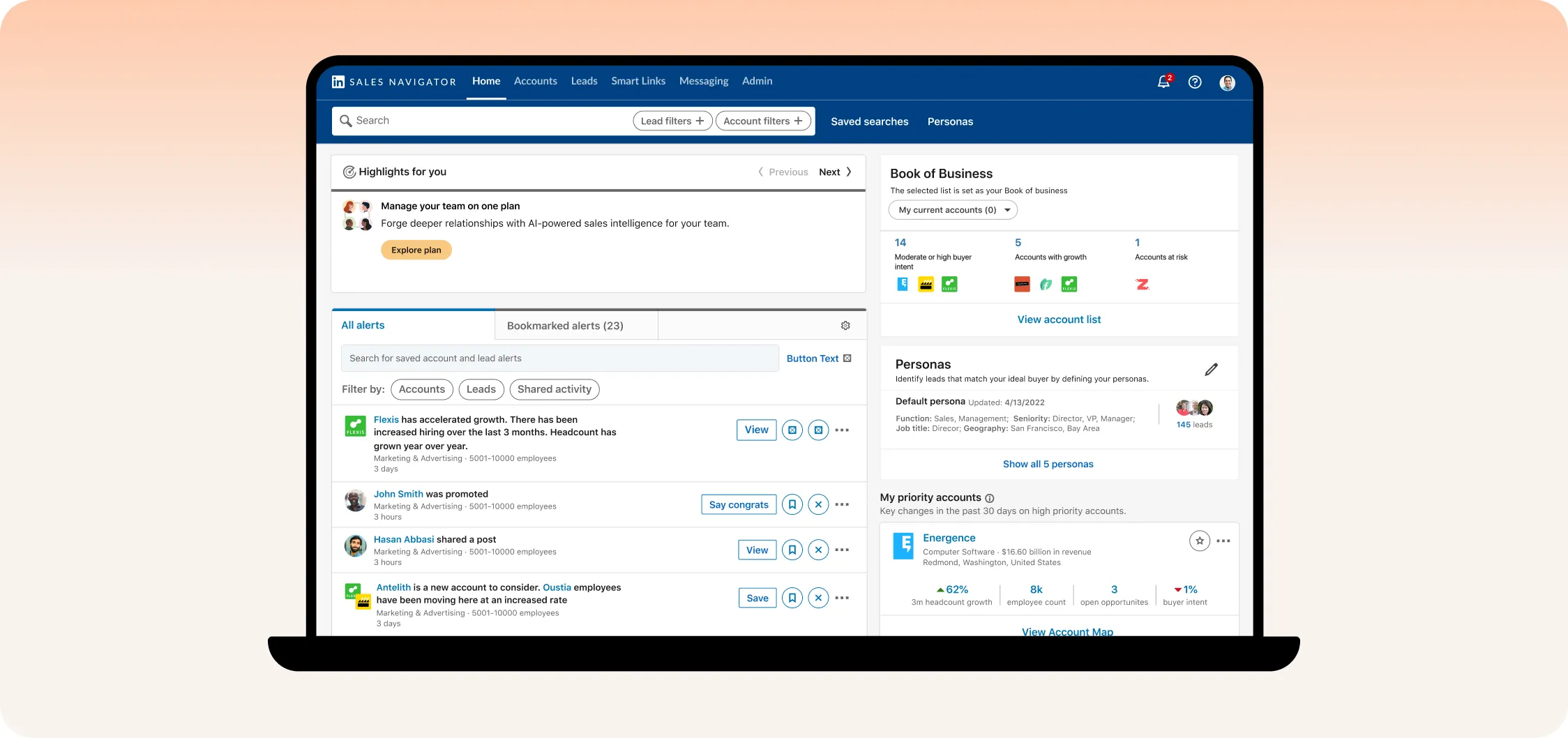
  • Contextual entry point: Designed a promotional card in the daily feed (“Highlights for you”) with a one-time cooldown rule so dismissed users were never spammed.
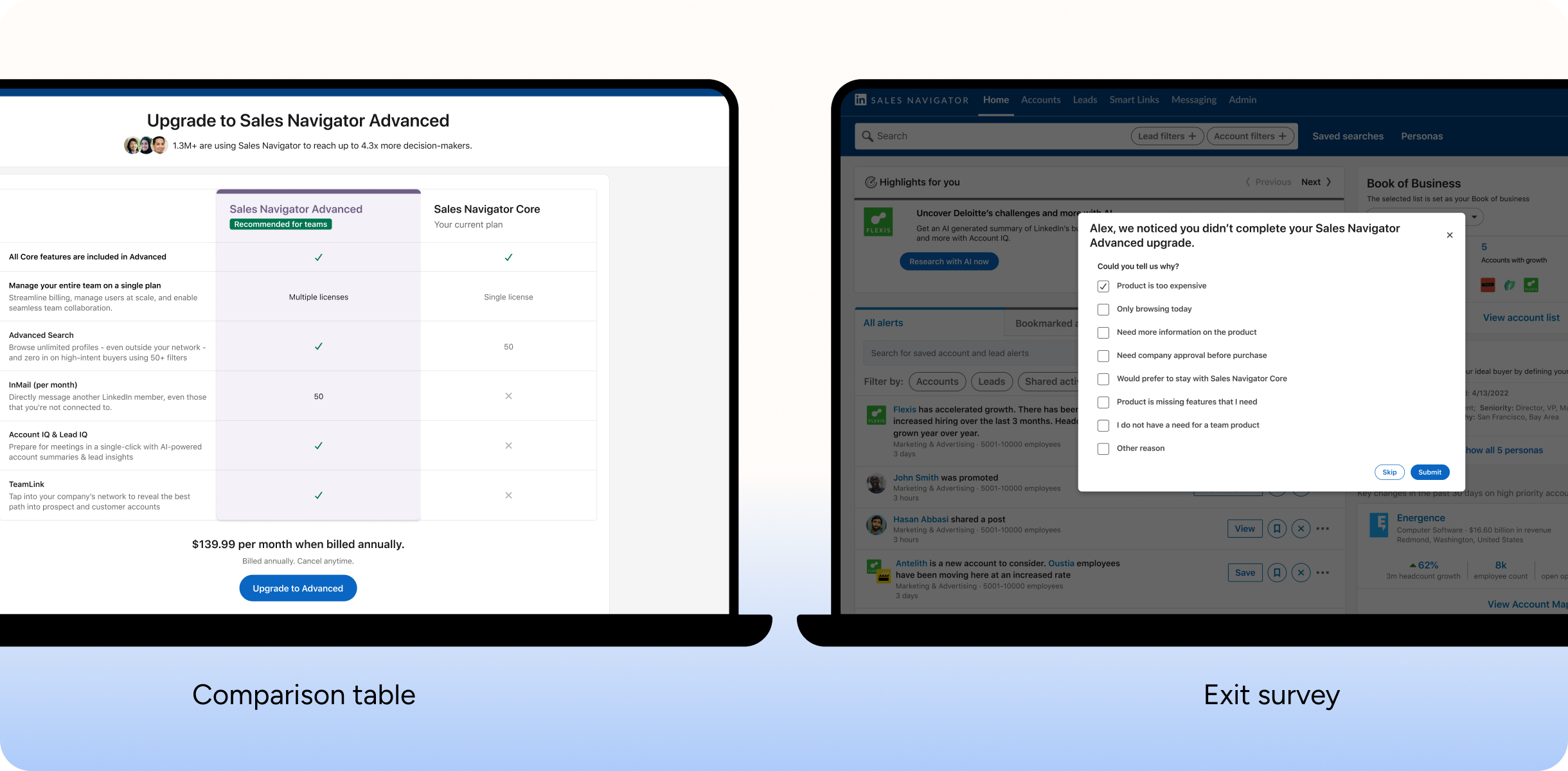
  • Plan comparison table: Created a side-by-side feature matrix contrasting Core vs. Advanced (team seats, unlimited search, InMail quotas) so sellers could immediately understand and justify the upgrade.
  • Asynchronous request form: Replaced live chat with a quick form that collected seller details for support to reach out and finalize the purchase, removing queue bottlenecks.
  • Exit-intent survey: Embedded an automated drop-off modal to capture why users hesitated (price, needing manager approval, or missing features), converting lost conversions into direct user research.
The upgrade flow solution: Plan comparison table and drop-off exit survey

Outcome & impact

De-risking engineering

Prevented months of premature engineering on billing infrastructure.

System efficiency

Reused UI components to ship in three weeks, preparing the 6-week experiment on schedule.

Trade-offs

Asynchronous form submission over synchronous live chat

The compromise

I wanted live agents to close upgrades instantly, but wait-time risks made chat a liability. I chose a form instead. While lacking live conversation, it eliminated support strain, filtered serious buyers, and met our 3-week deadline.

Reflection

Designing for the seller versus the decision maker

In hindsight, we targeted individual sellers, but team leads held purchasing power. When users dropped off selecting “I need to check with my team,” the journey ended. Today, I would empower sellers: generating an exportable one-pager for managers or emailing a comparison sheet. Enabling sellers to convince decision makers is true product leadership.